


 9:27 AM
 Fera Har-q

To connect two computers or connecting two HUB / switch with UTP cable, can use a crossover cable. If mo connect computers to the HUB / switch, use straight cables. more ...

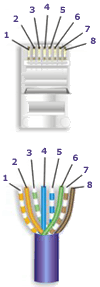
In straight and cross wiring, we can see standards set for this wiring problem, EIA / TIA 568A and EIA / TIA 568B.
EIA / TIA 568A EIA / TIA 568B
Straight Cable

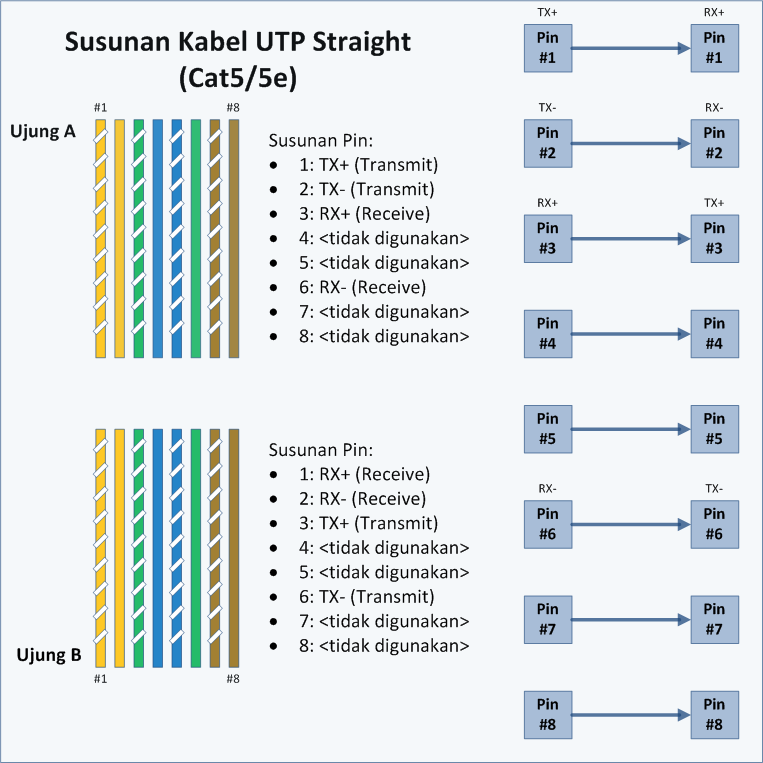
Straight cable is a term for a cable that uses the same standards on both ends of its wires, could EIA / TIA 568A or EIA / TIA 568B on both ends of the cable. Simply put, the sequence of colors on both ends of the same. In straight cables, pin 1 at one end of the cable connected to pin 1 on the other end, pin 2 connected to pin 2 at the other end, and so on.
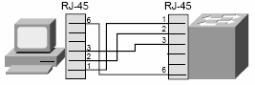
So, when the PC sends data on pin 1 and 2 via the cable straight into the switch, the switch receives data on pins 1 and 2. Well, because pins 1 and 2 on the switch will not be used to send data as well as pins 1 and 2 on the PC, then switch
using pins 3 and 6 to send data to a PC, because PC receives data on pin 3 and 6.
More details, see the following picture:
The use of straight cables:
connect the computer to normal port on the switch.
computer connects to the LAN port cable modem / DSL.
WAN port connects the router to the modem LAN port cable / DSL.
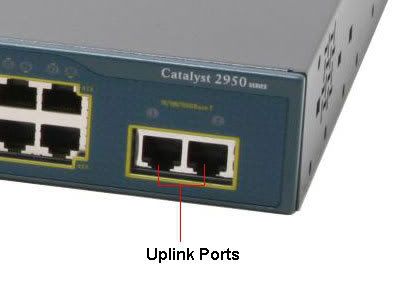
LAN port connects the router to the uplink port on the switch.
connect 2 HUB / switch with one of the HUB / switch uplink port and the other using a common port
Crossover cable
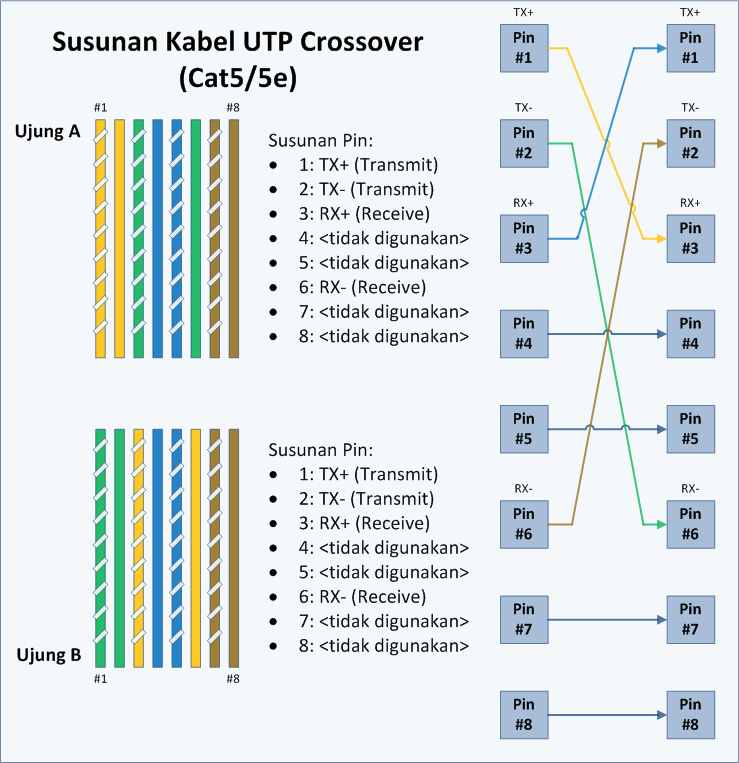
Crossover cable use the EIA / TIA 568A at one end of the cord and EIA / TIA 568B at the other end of the cable.
In the drawing, pins 1 and 2 at the end A is connected to pins 3 and 6 at the end of B, as well as pins 1 and 2 at the end B is connected to pins 3 and 6 at the end of A. Thus, pins 1 and 2 at each end of the cable used to transmit data, while pins 3 and 6 on each end of the cable used to receive data, because the pins 1 and 2 are connected as opposed to pins 3 and 6.
To identify whether a crossover or straight cable is to only see one end of the cable. If the sequence of colors of the wires on pin 1 is White Green, then the cable is a crossover (although if the other end also has the same color sequence that is White Green as pin 1, then the cable is a Straight). But fortunately, most cables use a standard EIA / TIA 568B on both ends of the cord.
Use a crossover cable:
connect 2 computers directly
connecting 2 pieces HUB / switch using regular port between the two HUB / switch.
connect the computer to switch uplink port
LAN port connects the router to a regular port on the HUB / switch
Vs. regular port. uplink ports
To connect the two HUB / switch, or connect two computers directly needed a crossover cable. But if the HUB / switch or Network Interface Card (NIC) or other network equipment to provide Uplinkport or MDI / MDI-X you can use straight cables for connecting to a regular port on the HUB / switch or Network Interface Card or other network equipment.
Here is the order of the cord:


